Forever Multi Trans Pro transfer paper A4
1.08 €+ VAT (1.37 €)
Forever Multi Trans Pro transfer paper A4
Quantity discount



Downloadable documents:
Downloadable documents:
Forever Multi-Trans Pro - User manual
1.08 €+ VAT (1.37 €)
Expected delivery date:
19/10/2026
Quantity discount:
100
pcs
3
1.04 €
200
pcs
5
1.02 €
500
pcs
10
0.97 €
ACCESSORIES
Choose from our products:
- Transfer paper for hard-surface objects without special coating.
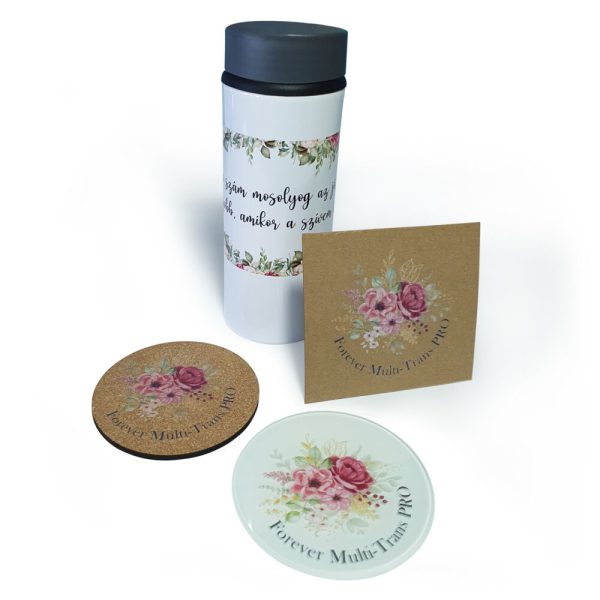
- Suitable for both rough (eg. wood, leather, cork) and hard (eg. ceramics, glass, metal) surfaces.
- Self-weeding, only the print gets transferred by the heat press.
Details
The sky is the limit with Multi-Trans Pro!
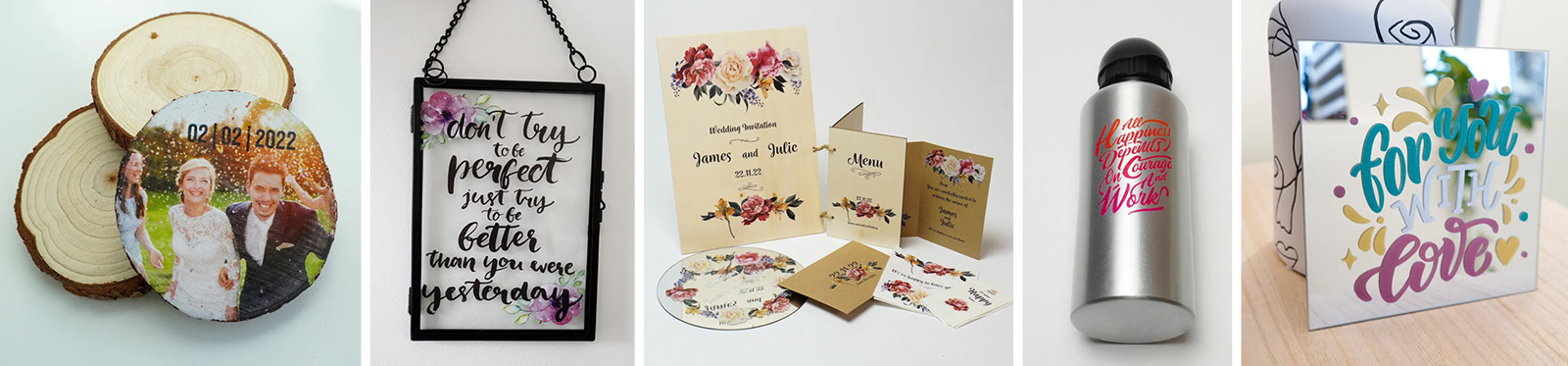
Forever Multi-Trans Pro is a transpfer paper for hard-surface objects without special coating. It could be printed by led or laser printers. Its greatest advantage is that it does not require cutting, as only the printed pattern is transferred to the surface of the product after heat press treatment. It can be used on almost any material: it is suitable for decorating not only objects with a hard, smooth surface, but also objects with a softer, rough surface. Whether ceramic, glass, metal or even wood, paper, cork, leather, Forever Multi-Trans Pro transfer paper is the ideal choice.
Forever Multi-Trans Pro transfer paper product properties
- Transfer paper for hard objects with smooth or rough surface.
- Fixing: with heat press.
- Size: A4
- Compatible printers: CMYK standard laser printers* and CMYW (white toner) laser and led printers.
- Quick and easy thanks to 1-sheet technology.
- No need for cutting and weeding: only the printed graphic gets transferred without the background.
- Easy and quick use: the shortest pressing times and low temperatures, hot peel.
* Only suitable for light-colored objects with a printer without white toner!
What kind of unique objects can you create with it?
- Ceramics (eg. mug, jar, plate, tile)
- Glass (eg. drinking glass, glass bottle, mirror, glass portrait)
- Metal (eg. water bottle, flask, metal sheet, board)
- Paper (eg. cartboard, table decoration, envelope, notebook cover)
- Cork (eg. coaster, keychain)
- Wood (eg. puzzle, wooden portrait, box)
- …and many more!
How to use Forever Multi-Trans Pro transferpaper?
- Reflect the image you want to print in a graphic program!
- Print the image on the transfer paper with laser or led printer!
- Fix the printed transfer paper on the object using heat resistant tape! Use silicon sheet if needed! (No need to cut since only the printed part gets transferred. Therefore you will need a printer with white toner to print light colors or to print on dark-coloured objects.)
- Fix the graphic using a heat press! (For the recommended heat-time setting for the given type of material, see the table in the attached instructions for use!)
- Peel the transfer paper from the objects. (Forever Multi-Trans Pro can be removed while still hot.)
- You can increase the scratch resistance of the print by fixing it in an oven after the process.

Data
Size:
A4
Similar products